
Max AI Image Generator
Max is the premium image model inside AIPictureGenerator, designed for teams that need the highest fidelity, long-brief understanding, and reliable typography. Max keeps complex layouts intact, preserves character identity across multiple frames, and follows detailed instructions with precision. When campaigns, documentation, or launch visuals demand maximum clarity, Max delivers production-ready results without switching tools. Max also supports rigorous review cycles by keeping visual intent consistent across iterations.
Max use cases for high-stakes creative delivery
Max is built for brand leaders, narrative teams, and regulated environments. Max handles dense briefs, preserves typography, and maintains continuity across multi-frame sequences, so teams can move from draft to approval without breaking fidelity. Use Max when the creative stakes are high and precision is non-negotiable. Max is especially valuable when multiple stakeholders must review the same visual system.
Brand
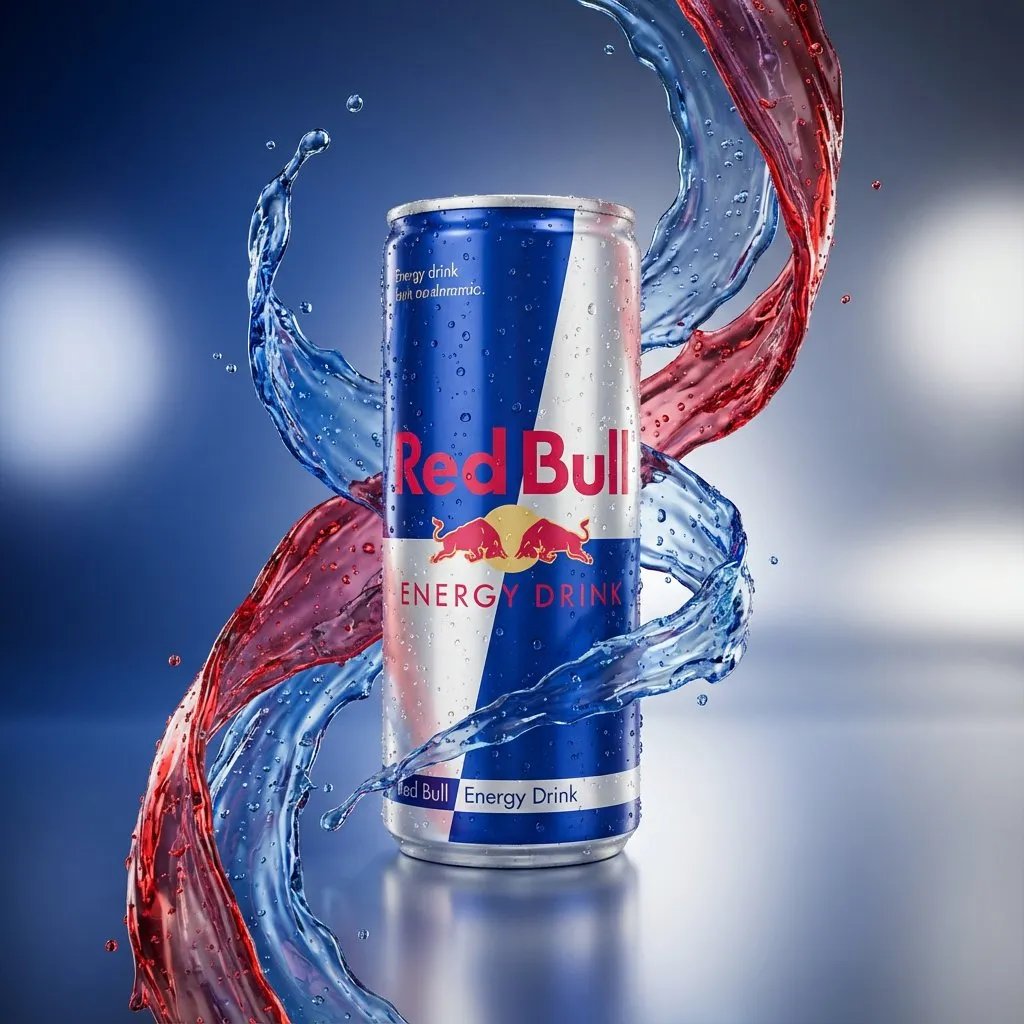
Global launch systems
Max generates master hero shots and product packs that stay consistent across sizes and placements. Max preserves packaging geometry, material reflections, and label hierarchy, helping teams deliver visuals for in-store, web, and print without rebuilding assets.
Localization
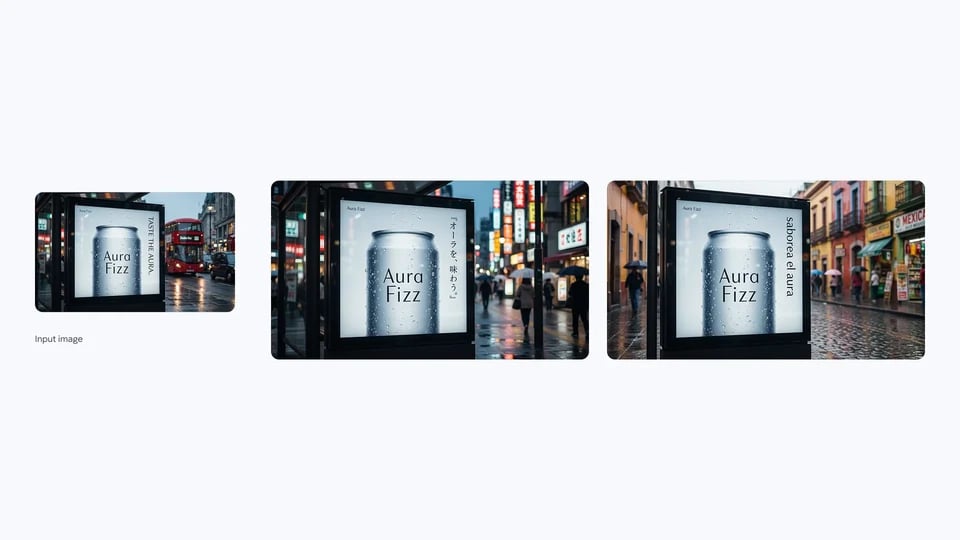
Multilingual storytelling
Max renders multilingual copy with precise kerning and alignment so campaigns remain readable across regions. With Max, teams can keep layout hierarchy and brand voice aligned as they localize hero visuals, signage, and app store assets.
Creative
Cinematic storyboard suites
Max keeps character identity and styling consistent across multiple frames. Describe camera movement, lighting mood, and wardrobe cues, and Max will maintain continuity so directors can present complete story arcs with confidence.

Information
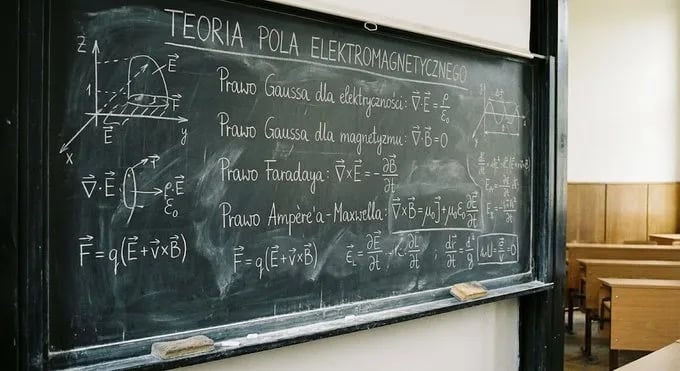
Data-backed infographics
Max turns dense briefs into annotated diagrams with crisp labels, icons, and callouts. With Max, analysts and educators can deliver clear infographics that stay faithful to structured instructions.
Media
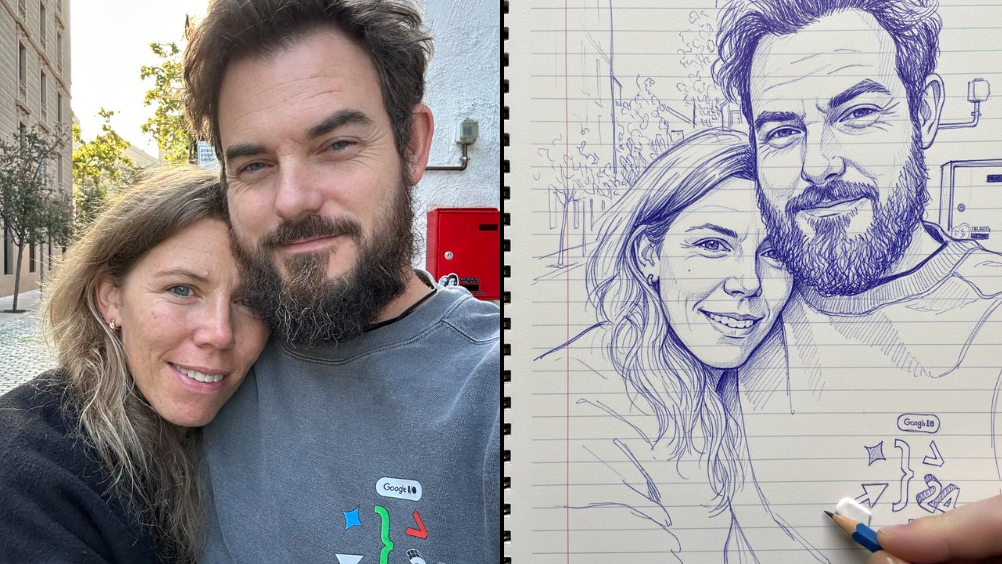
Editorial portrait refresh
Max refines wardrobe, lighting, and depth-of-field cues with cinematic realism. Content teams use Max to refresh covers, bios, or social assets while preserving identity and brand tone.
Ship with Max in three structured steps
Max mirrors professional briefing habits. Provide a detailed brief, tune ratios and references, then refine with multi-turn feedback. AIPictureGenerator keeps Max prompts, references, and approvals aligned so every stakeholder sees the same source of truth.
Brief with depth
Add subject notes, layout requirements, and typography rules. Max performs best when the brief is explicit about hierarchy, copy placement, and visual priorities.
Configure precision
Choose aspect ratios, output counts, and optional reference cues. Max responds well to structured guidance, helping teams preserve brand rules across every output.
Review and evolve
Select the strongest output and annotate feedback. Max keeps the full context across iterations, so refinements improve the same concept rather than drifting off brief.
Why teams choose Max
Max is tuned for high-fidelity production work. Max prioritizes clarity, consistency, and long-brief understanding, making it the right fit when creative work must withstand executive review.
Long-brief understanding
Max keeps complex instructions in view, so detailed creative decks and multi-part briefs remain intact.
High-fidelity output
Max delivers crisp edges, realistic materials, and print-ready clarity for demanding visuals.
Typography mastery
Max preserves kerning, spacing, and readability for dense text and multilingual layouts.
Multi-reference consistency
Max maintains identity, perspective, and color language when multiple references are used.
Narrative continuity
Max keeps characters and environments consistent across multi-frame sequences.
Controlled iteration
Max retains context between runs so teams can refine without losing the original brief.
Localization readiness
Max handles multilingual assets while keeping layout hierarchy stable.
Workflow accountability
AIPictureGenerator records Max prompts and outputs for easier reviews and reuse.
Max FAQ
Key answers for teams adopting Max inside AIPictureGenerator.
Create with Max today
Max delivers the fidelity and control needed for high-impact visuals. Use Max in AIPictureGenerator to move from detailed brief to production-ready assets with confidence.